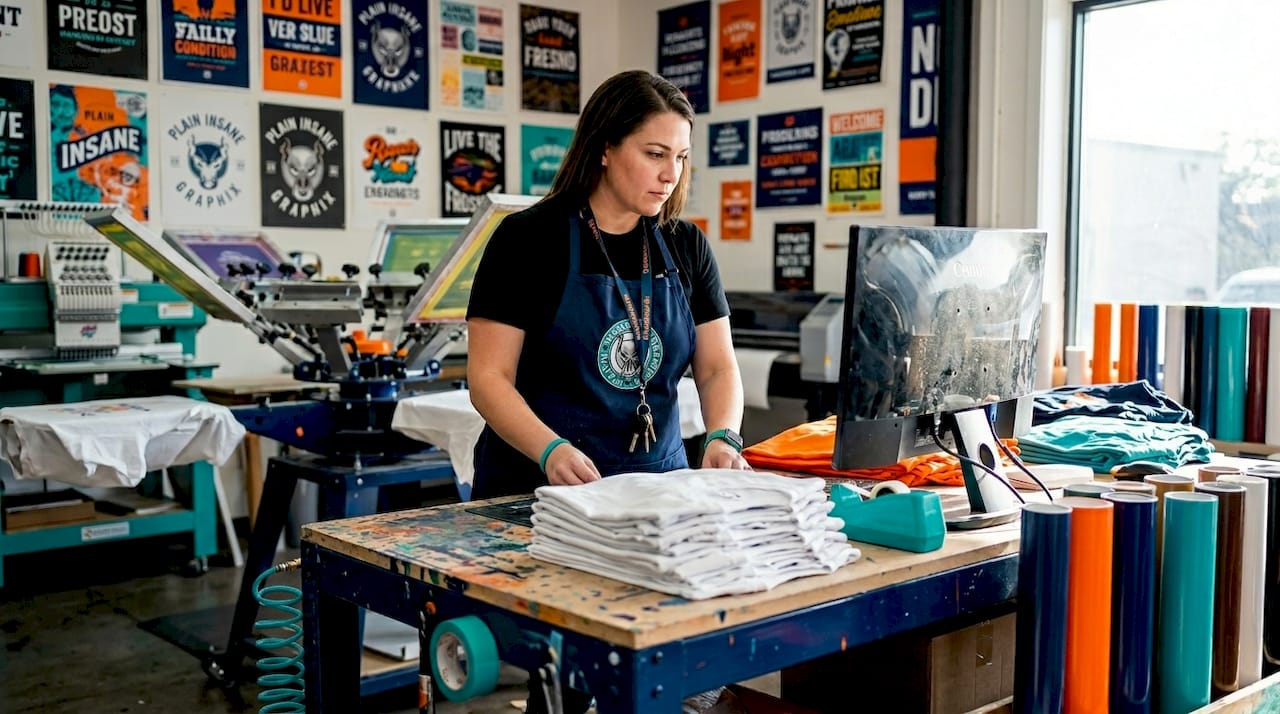
Most people assume all printing works the same way. You design something, hit print, and a machine does the rest. But that assumption costs Central Valley businesses, schools, and community organizations real time and real money every year. Digital printing skips the expensive, time-consuming setup of traditional methods entirely. Instead of creating physical printing plates that can take days and hundreds of dollars to produce, a digital file goes straight to the printer. The result? Custom t-shirts, banners, event signs, and more can be ready in days rather than weeks.
Table of Contents
- Digital printing explained: How it works and what makes it unique
- Comparing digital vs. traditional printing: Practical advantages and local examples
- Digital printing in apparel and signage: Types, workflow, and color precision
- Best practices for ordering custom digital prints in Central Valley
- Why successful digital printing is about more than just technology
- Explore custom digital printing solutions in Central Valley
- Frequently asked questions
Key Takeaways
| Point | Details |
|---|---|
| Direct digital workflow | Digital printing eliminates the need for setup plates, allowing fast, customized production straight from digital files. |
| Ideal for short runs | Small orders and frequent design changes are affordable and easy using digital printing methods. |
| Flexible material options | Digital printing works on paper, textiles, canvas, and synthetic materials—perfect for both apparel and signage jobs. |
| Color accuracy control | Achieving brand color precision is possible, but requires clear communication with your print provider. |
| Rapid turnaround | Digital printing delivers custom items quickly, supporting local project deadlines and frequent updates. |
Digital printing explained: How it works and what makes it unique
Let’s start with the basics. Digital printing is a printing method that prints digital image files directly onto a variety of substrates without using printing plates, unlike older offset methods that require physical setup for every design. That single difference changes everything about cost, speed, and flexibility.
Here’s how the process works at its core. You send a digital file, typically a PDF, PNG, or vector graphic, directly to the printing system. The machine reads that file and converts it into precise instructions for depositing ink or toner onto the material. As the digital printing press workflow shows, digital systems translate digital files into machine instructions, then deposit ink or toner using inkjet droplet formation or laser and electrostatic toner transfer methods. No plates, no screens, no lengthy prepress stage.
Direct-to-media capability means your artwork touches the substrate without any intermediate steps. That’s what makes short-run, high-detail, full-color printing fast and affordable.
What materials can digital printing work on? The list is broad:
- Paper and cardstock for flyers, posters, and marketing materials
- Canvas and vinyl for banners and large-format signage
- Textiles and apparel including cotton, polyester, and blended fabrics
- Synthetic substrates like foam board, corrugated plastic, and rigid panels
If you want to go deeper on choosing the right method for your next apparel order, the local t-shirt printing guide walks through the key decisions step by step. And if you’re weighing digital against traditional screen methods, the screen printing guide gives you a clear breakdown of how each process works.
| Feature | Digital printing | Offset/plate-based printing |
|---|---|---|
| Setup requirement | No plates needed | Physical plates required |
| Minimum order | 1 piece | Typically 500+ pieces |
| Turnaround time | 1 to 5 business days | 1 to 3 weeks |
| Full color support | Yes, native | Yes, with prepress cost |
| Cost per piece (small run) | Lower | Higher |
| Best for | Custom, short runs | High-volume, uniform jobs |
For Central Valley organizations ordering team shirts, event banners, or school spirit gear, the low setup cost and fast turnaround aren’t just conveniences. They’re the difference between having your materials ready for Friday’s game and scrambling to explain why they’re late.

Comparing digital vs. traditional printing: Practical advantages and local examples
Understanding digital printing is one thing. Knowing when to use it versus traditional methods like screen printing is where you start saving real money. Digital printing supports fast setup and high-detail, full-color reproduction with fewer prepress steps than plate-based methods, making it the go-to choice for custom apparel and signage with frequent design changes or tight timelines.
Here’s how they stack up in practice:
Where digital printing wins:
- Orders of fewer than 50 pieces, where screen printing setup costs don’t make sense
- Jobs with photographic detail, gradients, or complex full-color artwork
- Last-minute orders for events, fundraisers, or sports seasons
- Designs that include personalized names, numbers, or variable data
- Quick iterations, such as testing a new logo on a small run before committing to a large order
Where traditional screen printing holds its ground:
- Large volume orders of 100 or more pieces with a single consistent design
- Specialty ink effects like metallic, puff, or glow-in-the-dark finishes
- Jobs where per-piece cost at scale is the primary driver
Consider a real scenario right here in the Central Valley. A Fresno-area youth soccer league needs 30 team jerseys with each player’s name and number on the back. With screen printing, each name variation would require a separate screen, blowing the budget. With digital, every jersey can be different with zero additional setup cost. The whole order ships in days.
Pro Tip: When you’re deciding between digital and screen printing, think about two things first: how many pieces you need and how often your design changes. If the number is small or the design varies between recipients, digital wins almost every time.
The comparison also matters for signage. A real estate agent in Hanford ordering 10 custom yard signs with different addresses needs digital printing. A large retailer ordering 500 identical banners might find traditional large-format offset printing more economical at that scale. Matching the method to the job protects your budget.
If you’re ready to try designing custom shirts for your organization, having this comparison in mind will help you ask the right questions before placing your order. And for a more finished, polished look on hats and jackets, custom embroidery in Lemoore is another option worth considering alongside digital printing. For artwork tips that make any method shine, check out these t-shirt design tips before you submit your files.
Digital printing in apparel and signage: Types, workflow, and color precision
Now that you understand the basics and the comparisons, let’s look at how digital printing actually plays out when you’re ordering custom apparel or signage locally. The workflow matters, and so does color.
Direct-to-garment (DTG) printing is the most common digital method for apparel. A DTG printer works almost like a large inkjet printer but uses water-based inks formulated specifically for fabric. Your artwork is printed directly onto the shirt, hoodie, or jacket surface. The result is a soft feel with no raised texture, capable of reproducing photographic detail and hundreds of colors simultaneously.

Other digital textile methods include dye sublimation, where heat transfers ink into the fabric fibers themselves, which works best on polyester-heavy materials, and direct-to-film (DTF) transfers, which offer flexibility across a wider range of fabric types.
Here’s a typical workflow for a custom apparel order:
- File preparation. You submit your artwork in the correct format, typically a high-resolution PNG or print-ready PDF. Vector files are even better for signage.
- Color profiling. The print team calibrates the machine settings to match your material. A cream cotton shirt behaves differently from a white polyester blend.
- Pretreatment (for DTG specifically). Darker garments need a pretreatment spray so the ink bonds properly and colors pop.
- Printing. The file prints directly onto the substrate or garment.
- Curing and finishing. Heat is applied to bond the ink permanently. For signage, finishing may include lamination, grommets, or mounting hardware.
Color management in digital printing for textiles is not a one-size-fits-all process. The same artwork can look different on a cotton tee versus a polyester banner if color profiling isn’t handled carefully.
This is where color management in digital printing becomes critical. For textile and apparel applications, color precision expectations vary widely. Some customers need approximate branding colors for casual use, while others require near-exact color matching to existing product or brand standards, which changes the recommended workflow and controls significantly. In practical terms, that means your school’s red needs to look the same on the banner as it does on the jersey.
If your organization cares about branding and logo design consistency, tell your print shop upfront. Share your brand color values, Pantone references if you have them, and examples of past prints you liked or disliked. That conversation at the start saves disappointment at the end.
Pro Tip: Before placing a large apparel or signage order, ask your print shop for a proof or sample swatch. Even a small test print on your actual substrate will reveal color shifts before you’re committed to 200 pieces.
Whether you need printed signs and banners for a community event or custom jerseys for a sports league, understanding this workflow helps you set realistic expectations and get better results.
Best practices for ordering custom digital prints in Central Valley
You’ve got the knowledge. Now let’s make sure your next order goes smoothly. A few practical steps separate a frustrating reprint from a first-time success.
File quality is everything. Sending a low-resolution JPEG pulled from a website will not produce a sharp print. Use high-resolution files, meaning at least 300 DPI (dots per inch) at the final print size. PDF and PNG formats preserve detail. Vector files, such as those in AI or EPS format, are ideal for logos because they scale without losing sharpness.
Talk about color early. As covered above, digital printing without plates excels for variable data and quick job changes, but you still need to manage substrate-specific behavior including media, texture, pretreatment, and curing for consistent results. Don’t assume the print will match your screen. Screens display light, printers deposit ink. The two work differently, and a conversation about color expectations upfront prevents surprises.
Here’s a quick checklist for placing a successful digital print order:
- Submit files at 300 DPI minimum for all raster images
- Convert fonts to outlines or curves before sending
- Provide color references, such as Pantone, CMYK values, or physical samples
- Specify the substrate, meaning the exact garment style, color, and material
- Ask about finishing options like lamination for outdoor signs or heat pressing for apparel
- Request a digital proof before full production
- Plan your timeline with buffer time for proofing and revisions
Plan for short runs when flexibility matters. One of digital printing’s greatest strengths is that you can order exactly what you need. If your community organization is testing a new logo, print 10 shirts rather than 100. If the event changes, you haven’t wasted a large order.
Choose a provider who knows your region. Central Valley heat, dust, and outdoor conditions affect how signage holds up. A local shop understands these factors and can recommend the right materials for outdoor banners, yard signs, and vehicle decals that won’t fade in a Fresno summer.
For Central Valley local business services and community organizations, working with a regional print shop means faster communication, quicker revisions, and someone who understands what you’re actually trying to accomplish. If you’re based in or near Corcoran, the Corcoran print shop location is a convenient option for local pickup and in-person consultations.
Why successful digital printing is about more than just technology
Here’s something print shops don’t always say out loud: the technology is the easy part. Most modern digital printing equipment is remarkably capable. The hard part, the part that actually determines whether your order looks amazing or mediocre, is the workflow and communication that happens before the printer ever fires up.
We’ve worked with customers who submitted perfect files, had great designs, and still walked away unhappy because nobody talked about color expectations before the run. And we’ve worked with customers who had rough files and tight timelines but communicated clearly, asked smart questions, and ended up thrilled with the result.
The teams and organizations that get the best outcomes from digital printing do a few things consistently. They share their brand standards. They ask for proofs. They tell us where the item will be used, outside in direct sun, inside at a trade show, or on a jersey that gets washed weekly. Those details shape every decision from ink selection to substrate choice to finishing method.
We’d also push back on the idea that digital printing is always the right choice simply because it’s fast and flexible. For the right job, a traditional method like screen printing delivers depth and vibrancy that’s hard to match digitally on certain fabrics. The honest answer is that the best print shops know both methods and guide you toward the right one for your project, not the one with the best margin for the shop.
For anyone looking to improve their results, these design tips for digital prints are worth reviewing before you finalize your artwork. Good preparation on your end makes a real difference in the final product.
Explore custom digital printing solutions in Central Valley
Ready to put what you’ve learned into action? Plain Insane Graphix, voted the best print shop in Kings County, brings all of this capability to businesses, schools, sports teams, and community organizations across the Central Valley.

Whether you need custom jerseys with player names, event banners for an upcoming fundraiser, or campaign sign solutions for your next election or community drive, we handle the full process locally with quick turnaround times and competitive pricing. You can also explore custom embroidery services for a premium look on polos, hats, and jackets. Visit the Plain Insane Graphix homepage to browse our full product range, use our online design tools, or reach out for an in-person consultation at our Lemoore location. Quick Turnaround. Great Prices. Amazing Quality.
Frequently asked questions
How is digital printing different from screen printing?
Digital printing prints directly from digital files without setup plates, while screen printing uses mesh screens and is more labor and setup intensive, making it less practical for small custom jobs or designs with many color variations.
Can digital printing match exact brand colors?
Digital printing can achieve near-exact color matching for many branding needs, but as color precision expectations vary, some textile substrates require additional profiling and communication upfront to achieve consistent results across an entire order.
What is the best file type for digital printing orders?
High-resolution PDFs or PNG files are recommended for clear, accurate digital prints, and vector formats like AI or EPS are ideal for logos and designs that need to scale to large formats without any loss of sharpness.
How fast can digital printing turn around custom apparel or signs?
Digital printing often delivers finished items within two to five business days because fewer prepress steps are required compared to traditional methods, and file-based workflows allow production to begin almost immediately after proof approval.
Is digital printing cost-effective for small runs?
Yes, digital printing is ideal for small custom orders because low setup costs mean you’re not paying for plate creation or screen setup, making even a single-piece order economically practical compared to traditional high-volume printing methods.
Leave a Reply